If you cannot find an answer in these articles, our team is happy to help. We reply within 24 hours.
THE BEST WAY: FROM THE GAME
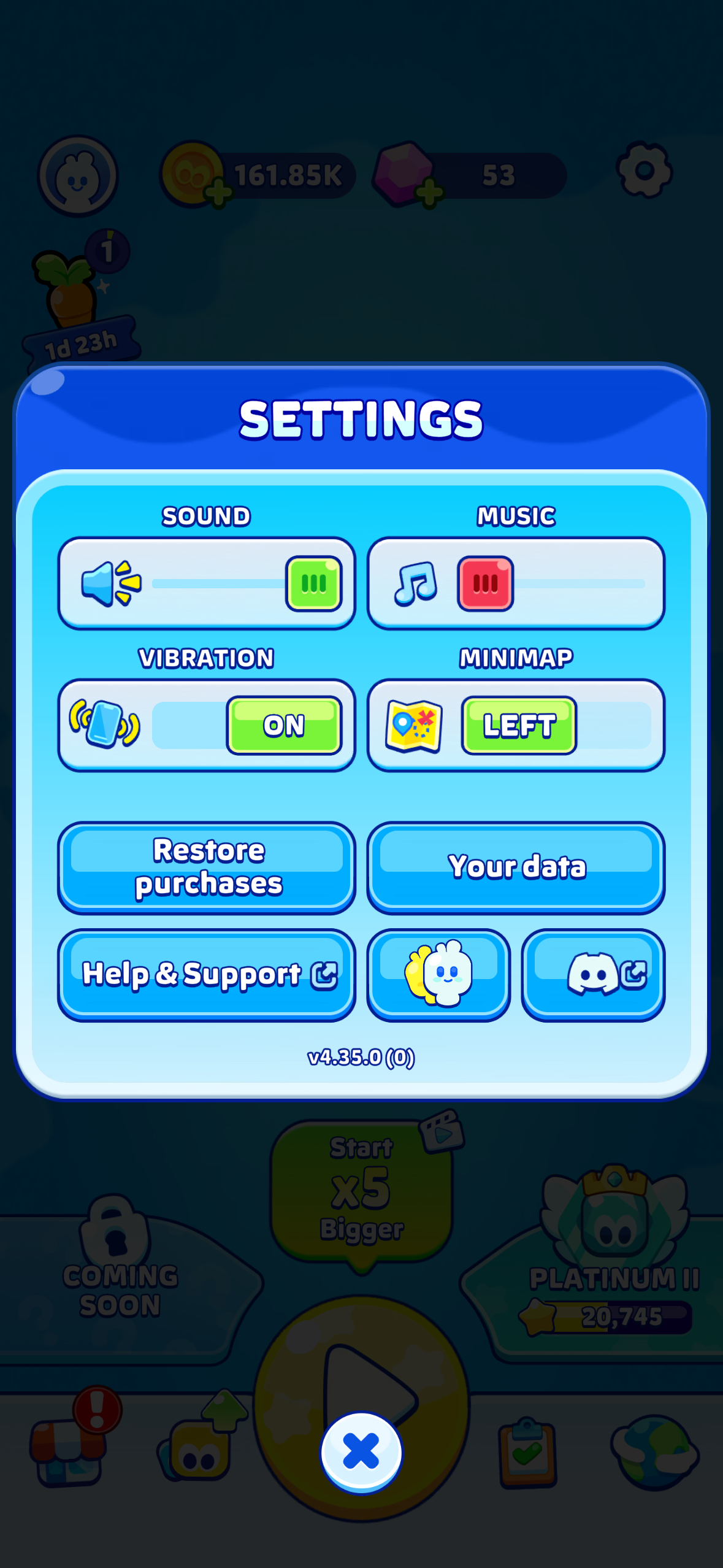
- Open Settings (gear icon on the home screen)
- Tap Help & Support
- Browse the articles, or tap to contact us
Contacting us from the game is the fastest option: your player ID, game version and device information are attached automatically, so we can look at your account without any back and forth.
FROM THIS WEBSITE
If you cannot open the game, use the Contact Support button on this portal. To help us resolve your issue quickly, include:
- Your platform (iOS or Android)
- Your phone model
- What happened, and what you expected instead
- A screenshot, if you have one
ONE TICKET IS ENOUGH
Sending several tickets about the same issue slows things down, because they are handled separately. Replying to your existing ticket keeps everything in one place.
Was this article helpful?
That’s Great!
Thank you for your feedback
Sorry! We couldn't be helpful
Thank you for your feedback
Feedback sent
We appreciate your effort and will try to fix the article