Signing in takes less than a minute and keeps your countries, skins and rewards safe, even if you lose or change your phone.
HOW TO SAVE YOUR PROGRESS
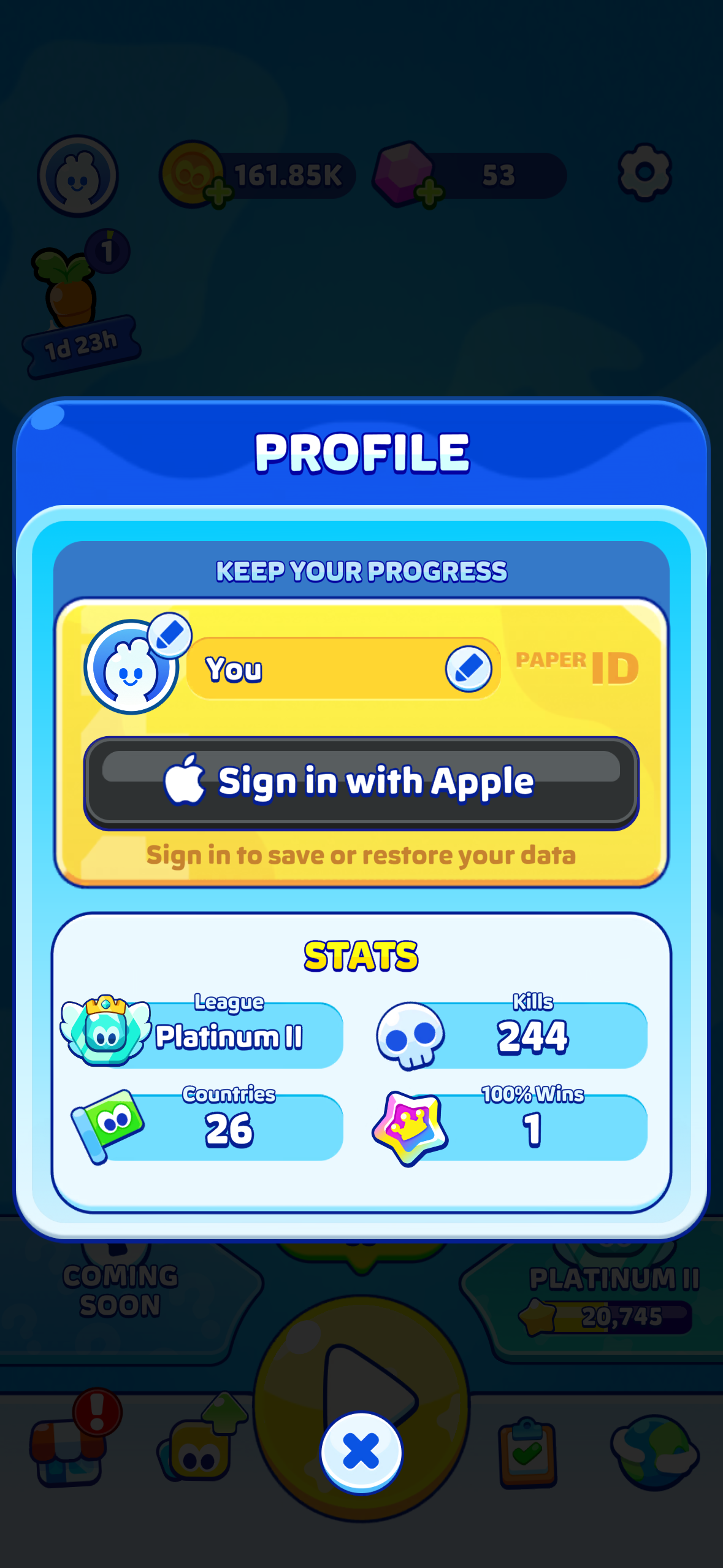
- Open Profile (the icon on the top left of the home screen)
- Tap Sign in with Apple (iOS) or Sign in with Google (Android)
- Confirm with your account
From then on, your progress is backed up automatically. No passwords to remember!
Sign-in is available from game version 4.15.1 onward. If you do not see the option, update the game first.
GOOD TO KNOW
- Your save is linked to one platform: progress cannot be transferred between iOS and Android
- The game keeps your two most recent sign-ins, so sign in regularly with the same account
- When you sign in on a new device, you will be asked which saved game to load. Choose carefully so you do not overwrite your best save.
WHY IT MATTERS
Lost progress is the most common issue players contact us about, and signing in prevents almost all of it. If you only follow one tip from this Help Center, make it this one.
Was this article helpful?
That’s Great!
Thank you for your feedback
Sorry! We couldn't be helpful
Thank you for your feedback
Feedback sent
We appreciate your effort and will try to fix the article